On A Real Menu
What the result looks like.
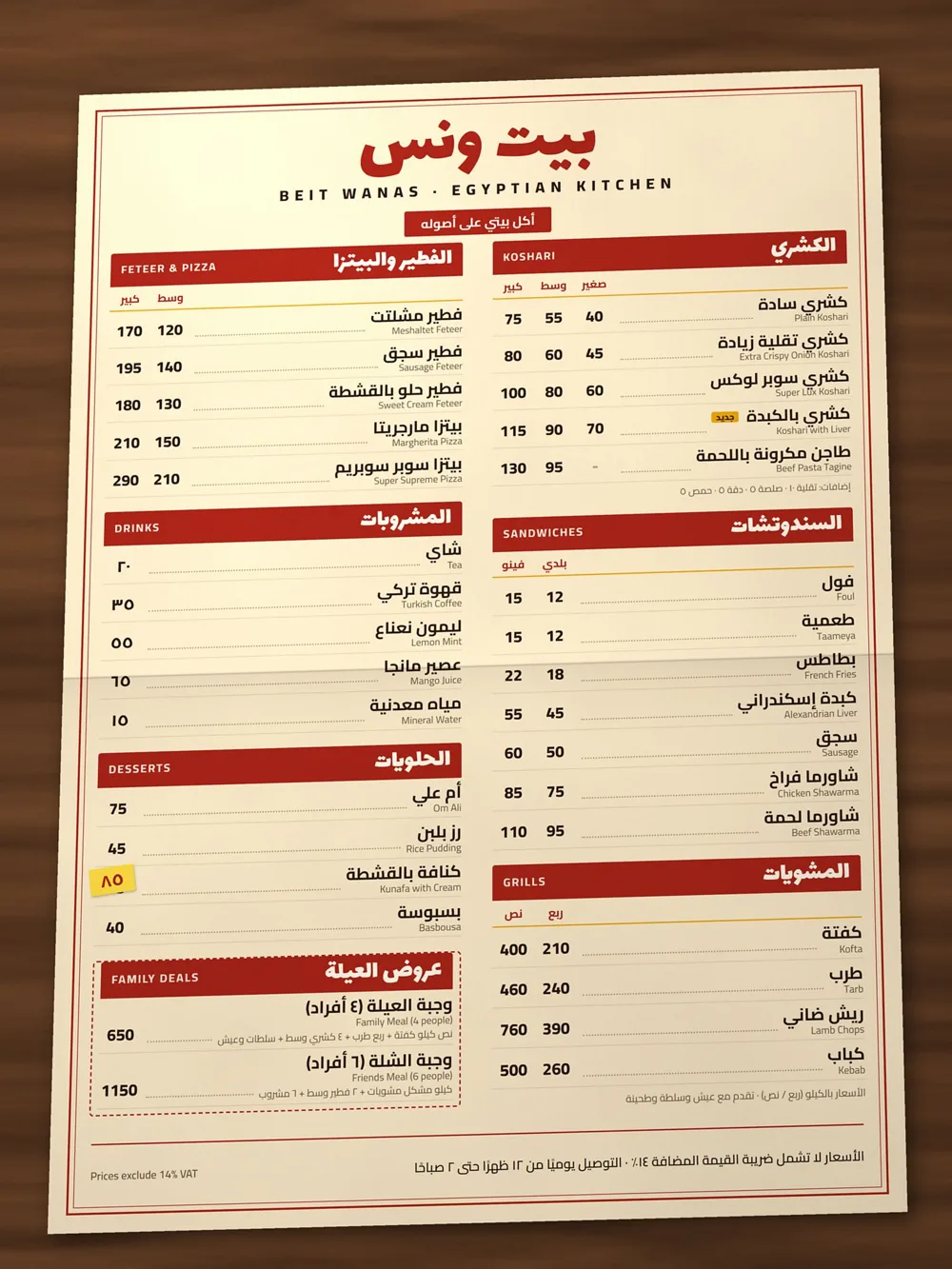
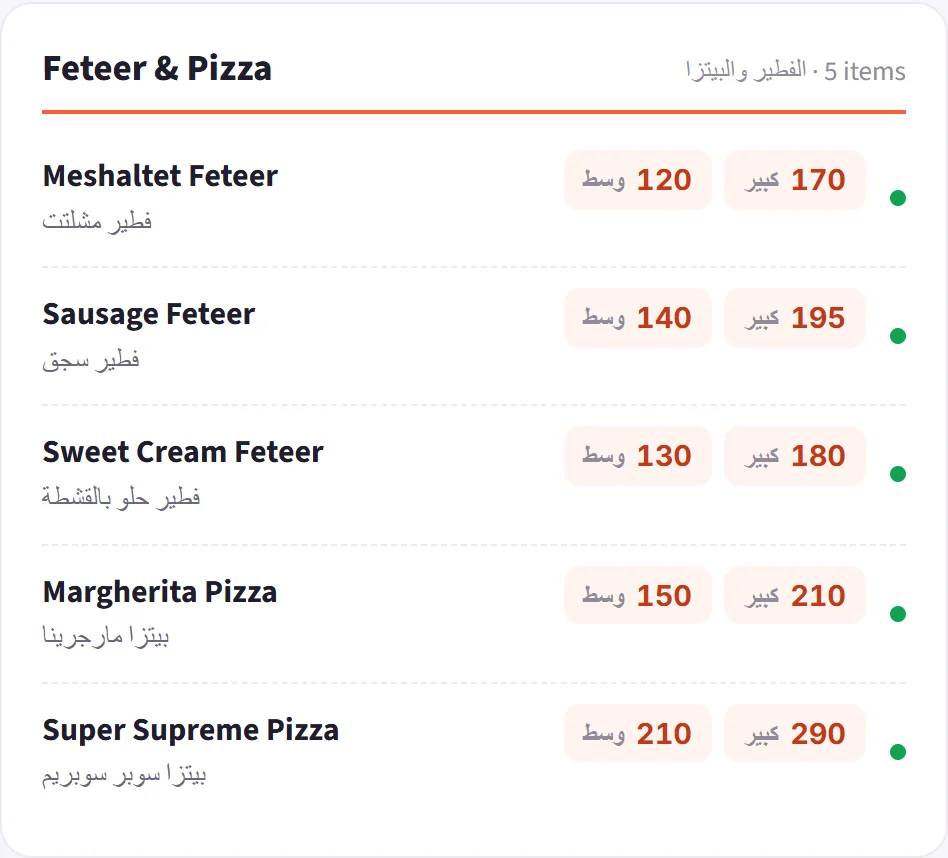
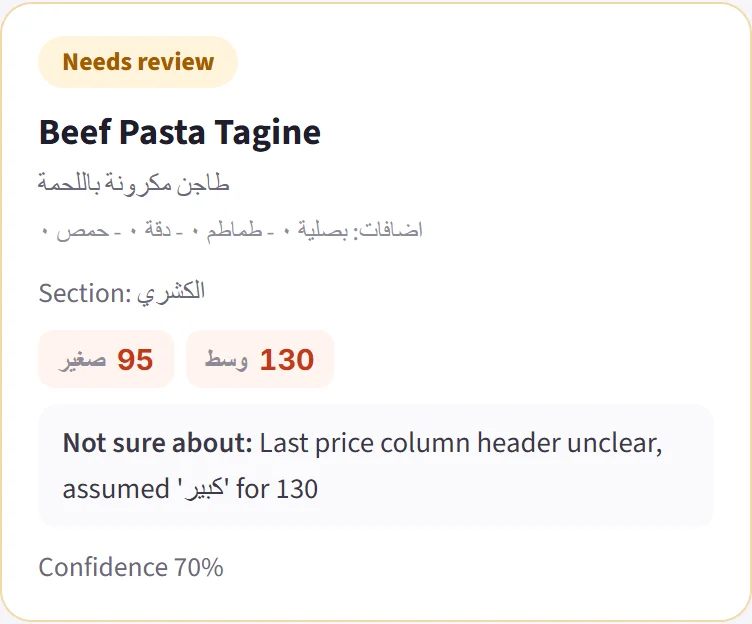
Upload a photo of any menu, Arabic, English or both. Get sections, names in both languages and a price for every size, in Excel, CSV or JSON. Anything uncertain is flagged for a quick human check.
A real run of the app on a fictional menu we printed for the demo. Muted loop.
Shoot the menu straight-on with a phone and upload it. One page, a board or a flyer.
The page is read in overlapping zoomed parts, together with a scan of its sections and price columns.
Disputed or uncertain items are read again on a close-up, and every section count is cross-checked.
You look at the flagged items, edit anything in the table, then download the file or send it straight to your system.
Right-to-left columns, Eastern-Arabic digits and dishes printed in both languages are read as one dish with both names.
An item it is not sure about is flagged with the part of the photo it was read from, so a person checks only the rows that need it.
Excel, CSV or JSON. Or we connect it to your POS or ordering system through an API, so items and prices go straight in, with no file to upload.
Printed menus, boards and flyers photographed with a phone, in Arabic, English or both. Very small or blurred photos are marked as low quality before you rely on them.
Check the flagged items. Each one comes with its part of the photo, so it is quick.
Menus first. The same reading engine is our OCR service for other printed documents; ask us about yours.
Yes, as a connection we set up for you. Through your POS or ordering system’s API, items, sizes and prices are written in directly, so nobody types them. Tell us which system you use and we check what it supports.
It depends on how many menus and branches you have. Send us one menu first and see the result, then we quote for your volume.